
Device management and security, formerly Kandji
Devices that set themselves up, stay current, and protect themselves
A new hire's laptop shouldn't take a week of IT time. An app update shouldn't depend on someone remembering to click it. And knowing whether every device is encrypted shouldn't take an afternoon of digging.
Iru handles all of it: Macs, iPhones, Windows PCs, and Android devices that configure themselves out of the box, apps and operating systems that update on their own, and built-in protection against threats. It's the platform every device we manage runs on, and we run it for you.

Iru MSP partner
Iru is included in our managed services. You get the whole platform without having to license it, learn it, or run it yourself.
Priya's MacBook Pro
Marketing, unboxed at 9:02 AM
-
Enrolled automatically through Apple Business
9:03 AM -
Her account created and ready to use
9:04 AM -
FileVault encryption and firewall turned on
9:05 AM -
CIS Level 1 security template applied
9:06 AM -
18 apps installed for the Marketing team
9:14 AM -
Threat detection and response protecting this Mac
9:15 AM
Ready for work in 13 minutes. IT never touched it.
Manages
- Mac
- iPhone and iPad
- Apple TV
- Vision Pro
- Windows
- Android
- Linux, coming soon
Works with
- Apple Business
- Google Workspace
- Microsoft Entra ID
- Okta
One platform instead of five
The tool sprawl is the problem
Every extra tool is another agent slowing laptops down, another console to check, and another gap where nothing is watching. Iru replaces the patchwork with one system where every part knows about the others.
The usual patchwork
- One tool for Macs, another for Windows, a third for phones
- A separate antivirus with its own agent and its own console
- A patching tool that covers some apps, some of the time
- Encryption keys and admin passwords tracked somewhere else
- Compliance evidence living in spreadsheets and screenshots
Iru
- One console for Apple, Windows, and Android
- Management, protection, and patching in one lightweight agent
- More than 550 Mac and Windows apps kept current automatically
- Recovery keys and admin passwords handled in the same place
- Evidence collected continuously and mapped to your controls
Six products that work as one
Identity, endpoint, and compliance share the same live picture of your people, apps, and devices. Start with what you need today, and the rest is already there when you're ready.
 Identity
Workforce Identity
Passwordless sign-in to every app, tied to a trusted device.
- Passkeys bound to the device, nothing to phish
- Device security checked at every sign-in
- Accounts created and removed in your apps automatically
Endpoint Endpoint Management
Every device set up, configured, and kept current without a visit from IT.
- Zero-touch setup on Apple and Windows
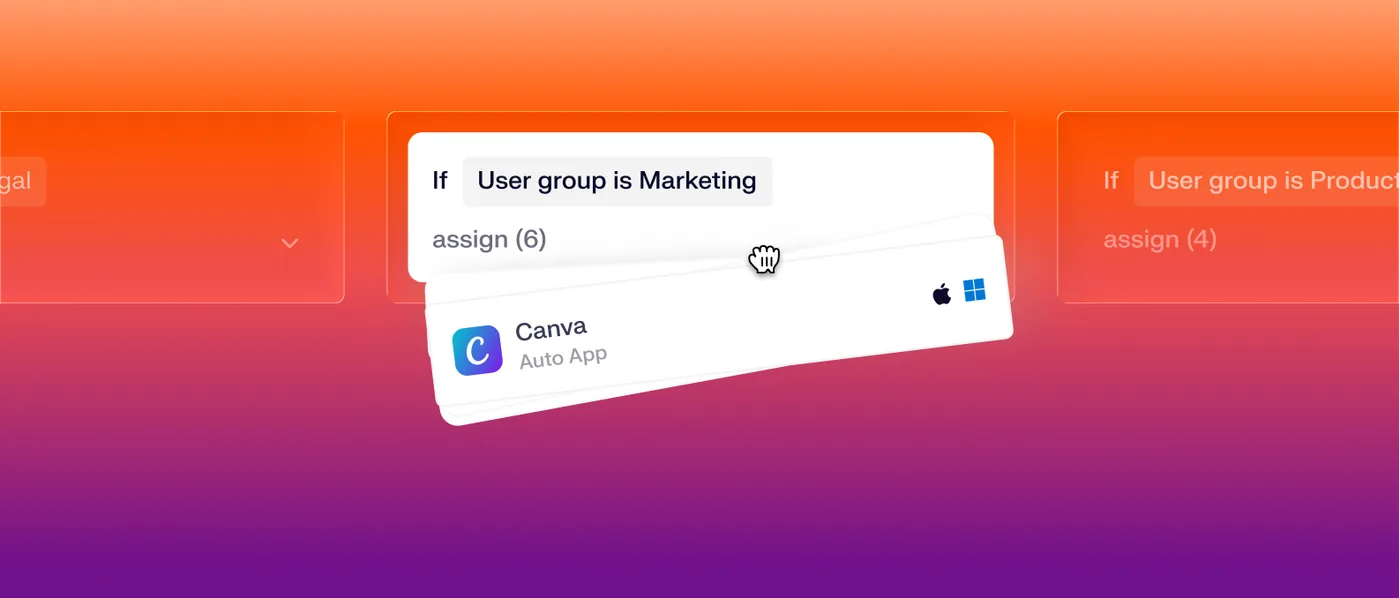
- Visual assignment maps for each team's apps and settings
- Self Service app for approved software
 Endpoint
Detection & Response
Threats stopped in real time on Mac and Windows, in the same agent.
- Behavioral and file-based detections
- Automatic termination and quarantine
- Isolate a compromised device with one click
 Endpoint
Vulnerability Management
Know which software puts you at risk, and let Iru patch it.
- Inventory refreshed every hour
- Risks ranked by severity and how many devices they touch
- Vulnerable apps patched automatically
 Compliance
 Automation
Stay audit-ready without the spreadsheets.
- Controls tailored to your business by Iru AI
- Evidence gathered and validated automatically
- SOC 2, ISO 27001, HIPAA, NIST, CMMC, and more
 Compliance
Trust Center
Show customers your security posture and close deals faster.
- A branded public page for your certifications
- Sensitive documents shared under NDA
- Security questionnaires drafted by Iru AI
Zero-touch setup
Ship the laptop. Iru handles the rest.
New hires unbox their device at home, connect to Wi-Fi, and watch it set itself up with everything their team uses. No imaging, no shipping it through the office first, and no first morning spent waiting on installers.
- New Macs and PCs set themselves up the moment they're switched on
- A branded first-day setup screen instead of a pile of installers
- Each person's account set up as part of the first-day screen
- Assignment maps decide which apps and settings each team gets
- A Self Service app for anything extra, no admin rights needed
Automatic patching
Updates that happen without anyone chasing them
Out-of-date software is one of the most common ways attackers get in. Iru keeps apps and operating systems current on its own, quietly when it can and with plenty of notice when it can't, so security never depends on someone remembering to click "update."
- More than 550 Mac and Windows apps installed and updated automatically
- Vulnerable apps patched by severity, with no one lifting a finger
- Apple and Windows updates staged to a test group before everyone else
- People get advance notice and pick a time that doesn't interrupt work
Updates this week
42 devices, Mac and Windows
- Patched
Google Chrome
Security fix, high severity
- Updated
Zoom
Updated quietly while closed
- Updated
Slack
Updated quietly while closed
- Scheduled
Microsoft Word
Prompt shown, due Friday
- Rolling out
macOS 27.0.1
Test group done, everyone by Friday
Endpoint security
Protection built into the same agent
No second agent fighting the first for battery and memory. Iru's detection and response runs alongside management on Mac and Windows, backed by an in-house research team that discovered 28 new macOS vulnerabilities in 2025 alone.
Behavioral detection
Watches what processes actually do, so new attacks are caught even before anyone has a signature for them.
Automatic response
Malicious processes are stopped and files quarantined on their own, and a compromised device can be cut off from the network.
Hardened in one click
Security templates bring Macs to CIS Level 1 or Level 2 benchmarks, and Iru keeps them there.
Keys and admin passwords handled
FileVault and BitLocker recovery keys are escrowed and rotated, and local admin passwords are unique, temporary, and logged.
Data stays where it belongs
Control USB drives and other removable storage, and keep work data encrypted on every device.
Unsafe apps blocked
Stop unapproved or risky apps from running anywhere in your fleet.
Optional: Workforce Identity
Nothing to remember. Nothing to steal.
Stolen passwords are still one of the most common ways in. For teams that want to go further, Iru's Workforce Identity can replace passwords with a passkey tied to each person's trusted device, and check that the device is healthy before it opens the door.
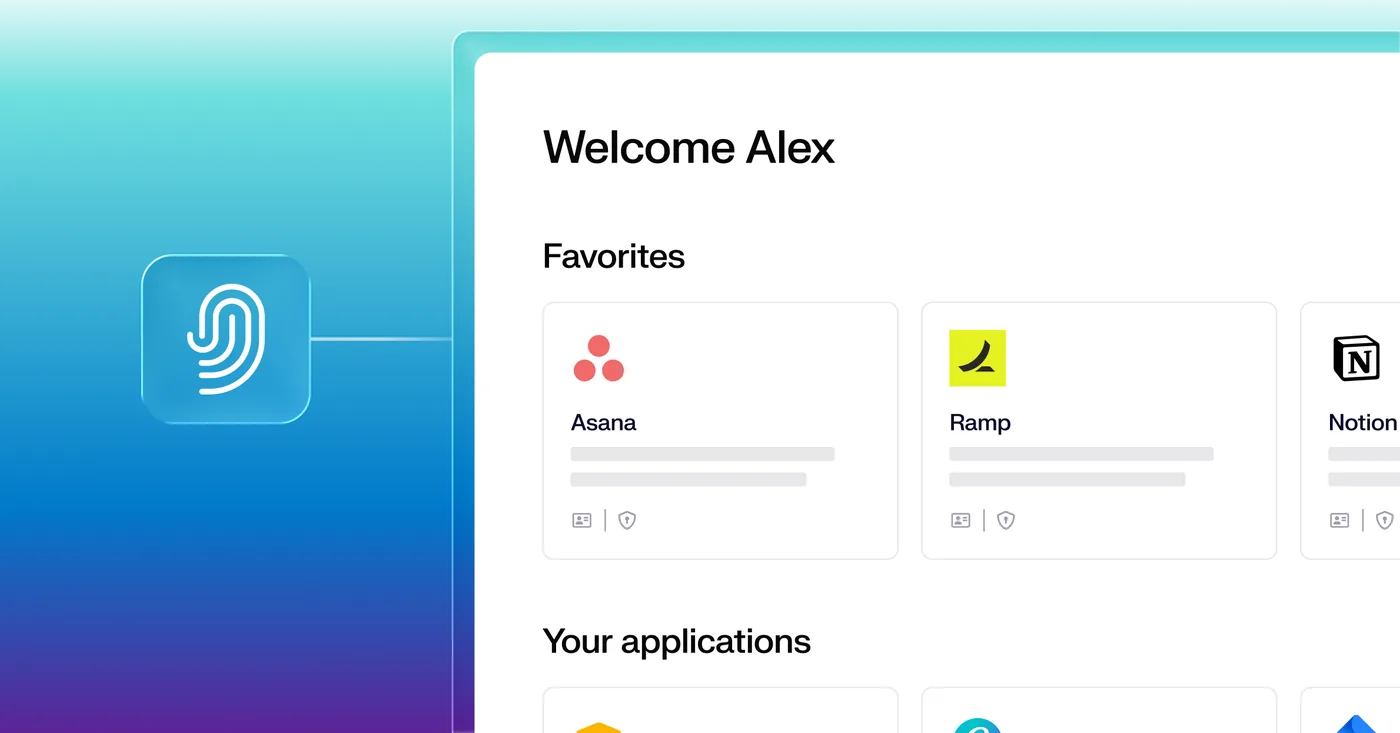
- One portal with every app your team uses
- Passkeys tied to a trusted device, so there's no password to steal
- Device health checked before anyone gets in
- Groups built automatically from role, department, or location
- Access removed everywhere the moment someone leaves
It's an add-on, not a requirement. Your team keeps using Google Workspace or Microsoft 365 the way they do today, and we'll tell you honestly whether it's worth it for you.
Compliance automation
Audit-ready all year, not just audit week
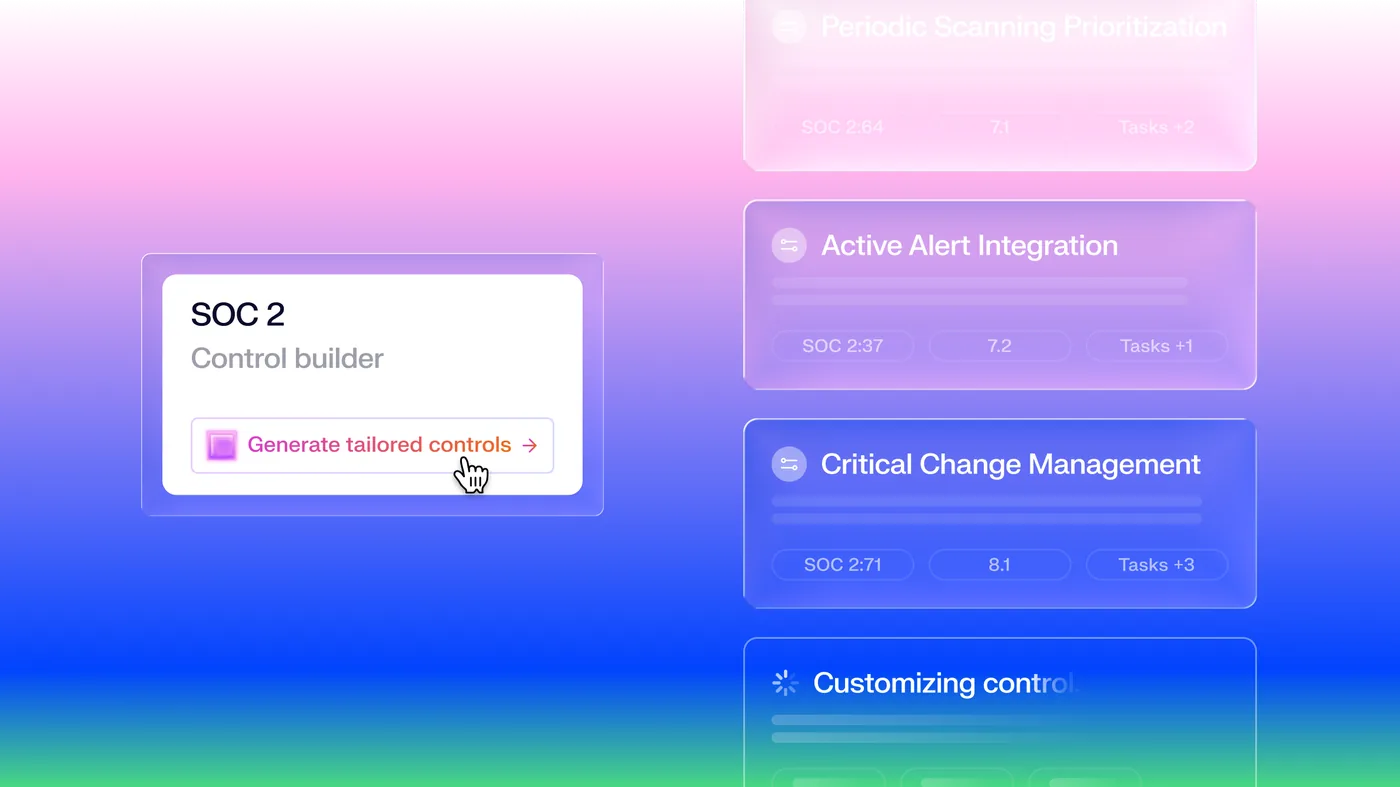
Iru builds controls around your business instead of handing you a generic checklist, then gathers the evidence on its own. When a customer sends a security questionnaire, Iru AI drafts the answers from what's already there.
- Controls tailored to your industry, size, and tools
- Evidence pulled from Iru and your other systems, then checked for relevance
- Policies written, published, and acknowledged in one place
- Already on Vanta, Drata, or Secureframe? Your frameworks move over in a few clicks
- SOC 2
- ISO 27001
- ISO 27701
- ISO 42001
- HIPAA
- GDPR
- NIST CSF
- NIST 800-53
- NIST 800-171
- CMMC
- Cyber Essentials
Iru AI
AI that takes work off the list
Iru AI understands your whole fleet, from devices and apps to people and policies, and uses that to answer questions and handle the tedious parts of IT and security.
Ask in plain English
Which Macs are behind on updates? Who has an unencrypted drive? Iru AI answers from live data.
Agents that do the busywork
Gathering compliance evidence, sharpening threat detection, and recommending fixes happen in the background.
A person stays in charge
Iru AI works in an isolated space for each customer, logs everything it does, and asks before making changes.
The platform under every device we manage
Iru is included in our managed services. It does the automating, protecting, and reporting. We make sure it's set up for how your business works and that someone is paying attention to it.
We build your setup
Enrollment through Apple Business, the apps and settings each team gets, security templates, and update schedules, designed around how you work.
We move you over
We migrate you from Jamf, Intune, Mosyle, or whatever you use today, in one go or in groups, without disrupting anyone's day.
We run it every day
Onboarding, offboarding, updates, and security alerts. We monitor device health during business hours while Iru's automation works around the clock.
We walk you through it
We walk you through how your fleet is configured and protected, and answer questions whenever they come up.
Works with the rest of your setup
Frequently asked questions
Want to talk?
Outgrowing your current device management, tired of juggling security tools, or just curious what a fleet that runs itself looks like? We can help you figure out what makes sense.